CentOS 8 Apache搭建
apache默认以apache用户运行
这里使用root开启服务
下载httpd服务
wget -O /etc/yum.repos.d/CentOS-Base.repo https://mirrors.huaweicloud.com/repository/conf/CentOS-8-reg.repo
|
使用yum install httpd 报错
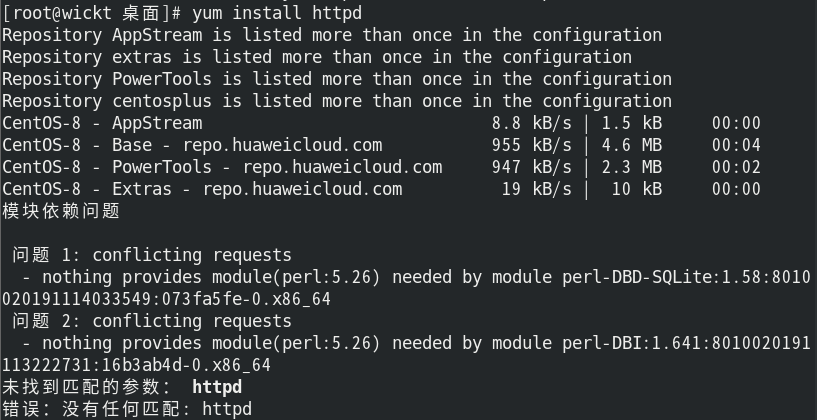
解决方法
mkdir ~/repo_backup && cp /etc/yum.repos.d/* ~/repo_backup/
rm -f /etc/yum.repos.d/CentOS-*.repo
|
重置华为云仓库
wget -O /etc/yum.repos.d/CentOS-Base.repo https://mirrors.huaweicloud.com/repository/conf/CentOS-8-reg.repo
dnf clean all && dnf makecache
|
解决模块依赖
dnf module reset perl
dnf module enable perl:5.32 -y
dnf install perl -y
|
重新安装httpd
dnf install httpd --allowerasing -y
dnf module enable httpd:2.4 -y
dnf install httpd -y
|
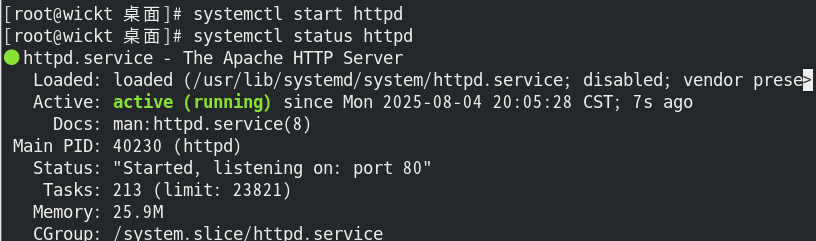
开启服务
systemctl start httpd
systemctl status httpd
|
[root@wickt 桌面]# httpd -v
Server version: Apache/2.4.37 (centos)
Server built:   Nov 12 2021 04:57:27
|
检查创建的用户和用户组
[root@wickt 桌面]# grep "apache" /etc/passwd
apache:x:48:48:Apache:/usr/share/httpd:/sbin/nologin
[root@wickt 桌面]# grep "apache" /etc/group
apache:x:48:
|

查看目录和服务
[root@wickt 桌面]# ls -l /etc/httpd/conf/httpd.conf
-rw-r--r--. 1 root root 11899 11月 12 2021 /etc/httpd/conf/httpd.conf
ls -l /etc/httpd/conf.d/
ls -l /etc/httpd/conf.d/mywebsite.conf
[root@wickt 桌面]# systemctl list-unit-files | grep httpd
httpd.service disabled
httpd@.service disabled
httpd.socket disabled
[root@wickt 桌面]#
[root@wickt 桌面]# ps aux | grep httpd
root 40230 0.0 0.2 273860 10832 ? Ss 20:05 0:00 /usr/sbin/httpd -DFOREGROUND
apache 40237 0.0 0.2 286076 8312 ? S 20:05 0:00 /usr/sbin/httpd -DFOREGROUND
apache 40238 0.0 0.3 1802624 11604 ? Sl 20:05 0:00 /usr/sbin/httpd -DFOREGROUND
apache 40239 0.0 0.3 1802624 11604 ? Sl 20:05 0:00 /usr/sbin/httpd -DFOREGROUND
apache 40240 0.0 0.3 1933760 13652 ? Sl 20:05 0:00 /usr/sbin/httpd -DFOREGROUND
root 40702 0.0 0.0 12320 1072 pts/0 S+ 20:20 0:00 grep --color=auto httpd
[root@wickt 桌面]# ls -l /var/log/httpd/
总用量 4
-rw-r--r--. 1 root root 0 8月 4 20:05 access_log
-rw-r--r--. 1 root root 1018 8月 4 20:05 error_log
|
创建index.html文件
<!DOCTYPE html>
<html lang="zh-CN">
<head>
<meta charset="UTF-8">
<meta name="viewport" content="width=device-width, initial-scale=1.0">
<title>Apache HTTP 服务器</title>
<style>
* {
margin: 0;
padding: 0;
box-sizing: border-box;
font-family: 'Segoe UI', Tahoma, Geneva, Verdana, sans-serif;
}
body {
background: linear-gradient(135deg, #1a2a6c, #b21f1f, #1a2a6c);
color: #fff;
min-height: 100vh;
padding: 2rem;
line-height: 1.6;
}
.container {
max-width: 800px;
margin: 0 auto;
background: rgba(0, 0, 0, 0.7);
border-radius: 15px;
padding: 2rem;
box-shadow: 0 10px 30px rgba(0, 0, 0, 0.5);
text-align: center;
}
header {
margin-bottom: 2rem;
padding-bottom: 1rem;
border-bottom: 2px solid #3498db;
}
h1 {
font-size: 2.5rem;
margin-bottom: 1rem;
color: #3498db;
text-shadow: 0 0 10px rgba(52, 152, 219, 0.5);
}
.logo {
font-size: 5rem;
margin: 1rem 0;
color: #e74c3c;
text-shadow: 0 0 15px rgba(231, 76, 60, 0.7);
}
.status {
background: #27ae60;
display: inline-block;
padding: 0.5rem 1rem;
border-radius: 50px;
font-weight: bold;
margin: 1rem 0;
}
.info-box {
background: rgba(52, 73, 94, 0.5);
border-left: 4px solid #3498db;
padding: 1.5rem;
margin: 1.5rem 0;
text-align: left;
border-radius: 0 10px 10px 0;
}
.links {
display: grid;
grid-template-columns: repeat(auto-fit, minmax(200px, 1fr));
gap: 1rem;
margin: 2rem 0;
}
.card {
background: rgba(255, 255, 255, 0.1);
border-radius: 10px;
padding: 1.5rem;
transition: transform 0.3s, background 0.3s;
}
.card:hover {
background: rgba(52, 152, 219, 0.3);
transform: translateY(-5px);
}
.card h3 {
color: #f1c40f;
margin-bottom: 1rem;
}
.btn {
display: inline-block;
background: #9b59b6;
color: white;
padding: 0.8rem 1.5rem;
border-radius: 50px;
text-decoration: none;
font-weight: bold;
margin-top: 1rem;
transition: all 0.3s;
}
.btn:hover {
background: #8e44ad;
box-shadow: 0 0 15px rgba(155, 89, 182, 0.7);
}
footer {
margin-top: 2rem;
padding-top: 1rem;
border-top: 1px solid #7f8c8d;
font-size: 0.9rem;
color: #bdc3c7;
}
@media (max-width: 600px) {
.container {
padding: 1.5rem;
}
.links {
grid-template-columns: 1fr;
}
}
</style>
</head>
<body>
<div class="container">
<header>
<div class="logo">☺</div>
<h1>Apache HTTP 服务器</h1>
<div class="status">运行中</div>
<p>您的服务器已成功配置并运行</p>
</header>
<section class="info-box">
<h2>服务器信息</h2>
<p>• 服务器版本: Apache/2.4.52 (Unix)</p>
<p>• 服务器时间: <span id="datetime"></span></p>
<p>• 客户端 IP: <?php echo $_SERVER['REMOTE_ADDR']; ?></p>
<p>• 文档根目录: <?php echo $_SERVER['DOCUMENT_ROOT']; ?></p>
</section>
<section>
<h2>常用资源</h2>
<div class="links">
<div class="card">
<h3>文档</h3>
<p>Apache 官方文档与配置指南</p>
<a href="https://httpd.apache.org/docs/" class="btn">访问文档</a>
</div>
<div class="card">
<h3>PHP 信息</h3>
<p>查看 PHP 配置详情</p>
<a href="phpinfo.php" class="btn">PHP 信息</a>
</div>
<div class="card">
<h3>网站目录</h3>
<p>浏览网站文件目录</p>
<a href="/files/" class="btn">文件列表</a>
</div>
</div>
</section>
<footer>
<p>Apache HTTP Server © 1995-2023 Apache Software Foundation</p>
<p>本页面位于: /var/www/html/index.html</p>
</footer>
</div>
<script>
function updateDateTime() {
const now = new Date();
const options = {
year: 'numeric',
month: 'long',
day: 'numeric',
hour: '2-digit',
minute: '2-digit',
second: '2-digit',
hour12: false
};
document.getElementById('datetime').textContent = now.toLocaleDateString('zh-CN', options);
}
setInterval(updateDateTime, 1000);
updateDateTime();
</script>
</body>
</html>
|
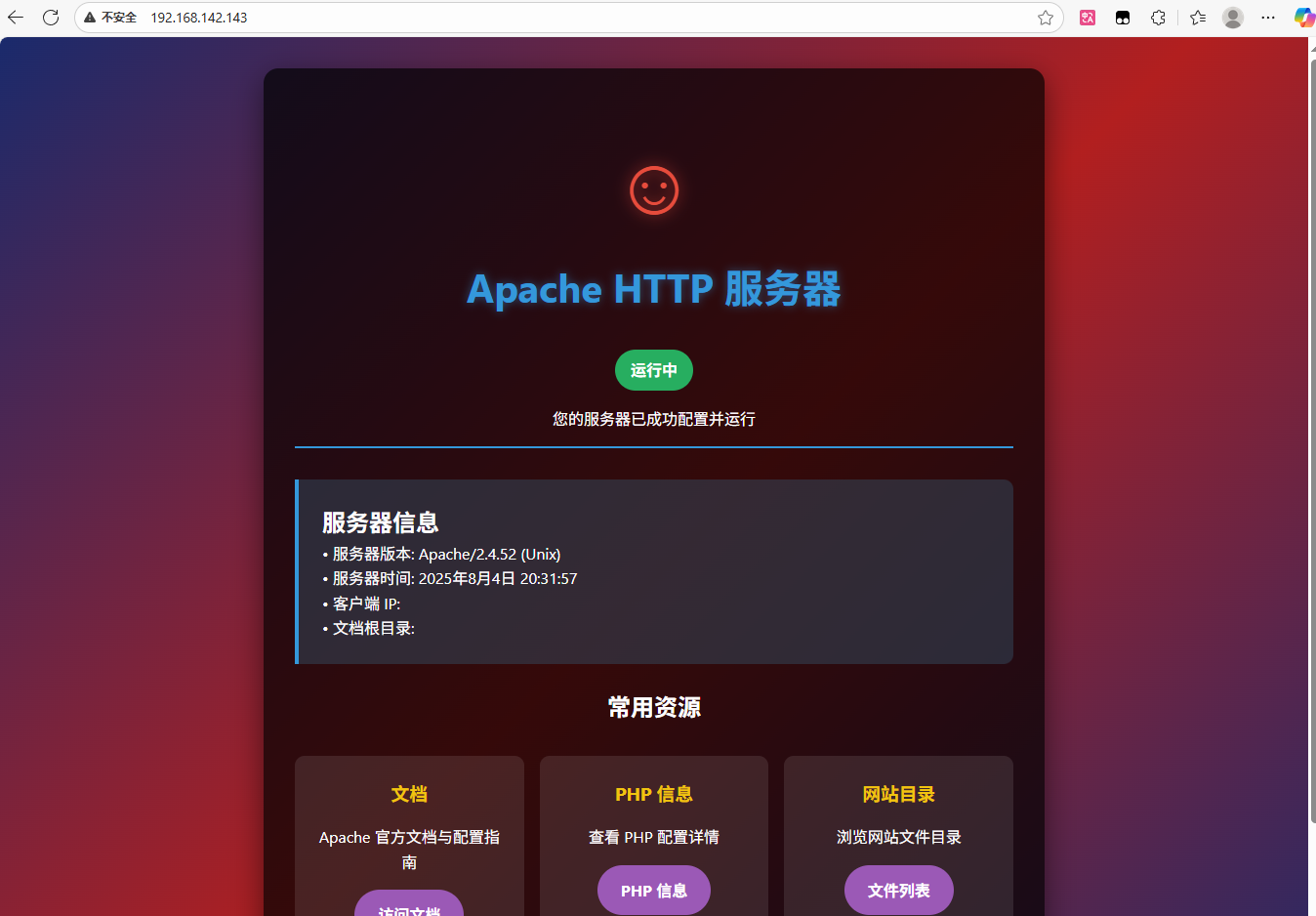
访问创建的页面
使用ifconfig查看本机IP,然后在本机浏览器访问
搭建第二个页面
虚拟主机是apache的核心功能,允许单台服务器通过不同的域名、IP、或者端口托管多个独立网站 本质就是通过配置区分不同网站的请求,引导到不同的目录或者后端服务
三种类型
基于域名 不同域名访问不同网站 referencer 在你访问web界面时,出现3xx 403字段时,可以尝试更改refer
字段为 127.0.0.1\baidu.com
a.com b.com指向同一个服务器
基于IP 不同IP地址访问不同网站 服务器有多个公网IP
基于端口 不同端口访问不同网站 80:访问官网 8080:访问后台
|
创建虚拟网站目录结构
在/var/www/下创建一个比如/var/www/linux_dis/html目录
创建日志文件/var/www/linux_dis/log,单独创建一个日志文件目录来存放日志文件
创建默认index页面
[root@wickt 桌面]# mkdir -p /var/www/linux_dis/html
[root@wickt 桌面]# mkdir -p /var/www/linux_dis/log
|
将虚拟主机的相关配置写进配置文件,文件路径/etc/httpd/conf.d/linux_dis.conf
<VirtualHost *:80>
ServerName dislinux.com
ServerAlias www.dislinux.back.com
DocumentRoot /var/www/linux_dis/html
ErrorLog /var/www/linux_dis/log/error.log
CustomLog /var/www/linux_dis/log/access.log combined
</VirtualHost>
|
若是root用户创建的文件,需要修改属主和属组,设置权限
chown apache:apache /var/www/linux_dis/html /var/www/linux_dis/log
chmod 755 /var/www/linux_dis
|
为虚拟主机配置host文件
最后别忘记重启httpd服务
apachectl configtest

systemctl restart httpd
|
主机要想访问到虚拟机的虚拟主机可能要修改本地host文件
设置默认主机
创建默认虚拟主机配置
在 /etc/httpd/conf.d/ 目录下创建新配置文件(如 000-default.conf):
sudo vi /etc/httpd/conf.d/000-default.conf
|
添加以下内容(确保文件名以 000- 开头,使其优先加载):
<VirtualHost *:80>
DocumentRoot /var/www/html
ErrorLog /var/log/httpd/default-error.log
CustomLog /var/log/httpd/default-access.log combined
<Directory "/var/www/html">
Require all granted
</Directory>
</VirtualHost>
|
修改您的虚拟主机配置
在 /etc/httpd/conf.d/linux_dis.conf 中添加明确的 ServerName 匹配:
<VirtualHost *:80>
ServerName dislinux.com
ServerAlias www.dislinux.back.com
DocumentRoot /var/www/linux_dis/html
<Directory "/var/www/linux_dis/html">
Require all granted
</Directory>
ErrorLog /var/www/linux_dis/log/error.log
CustomLog /var/www/linux_dis/log/access.log combined
</VirtualHost>
|